What is Slack?
Slack is the perfect tool to connect all your team members and create a direct and streamlined communication channel. It replaces email with a more efficient solution that fosters cooperation and revolutionizes the way you can communicate with everyone in your program.
Why Slack + Brandseal?
Slack is a popular choice for teams that need a flexible and powerful workspace to easily communicate and collaborate together. Brandseal uses the employee data from Slack to create a branded signature for each employee, which then can be manually synced to their email client (Gmail, Outlook, etc.).
- As an Admin: You can sync your entire Slack workspace team members to Brandseal. This ensures that when a new employee is added to Slack, their data is automatically added to Brandseal & kept up to date.
- As an Employee: You no longer need to design your own signature. Brandseal creates your branded signature with your correct data, which you can then manually add to your email client (Gmail, Outlook, etc.).
How to connect Slack + Brandseal
To enable company-wide synchronization, a Slack workspace Admin must authorize Brandseal using OAuth.
- Log in to your Brandseal admin account.
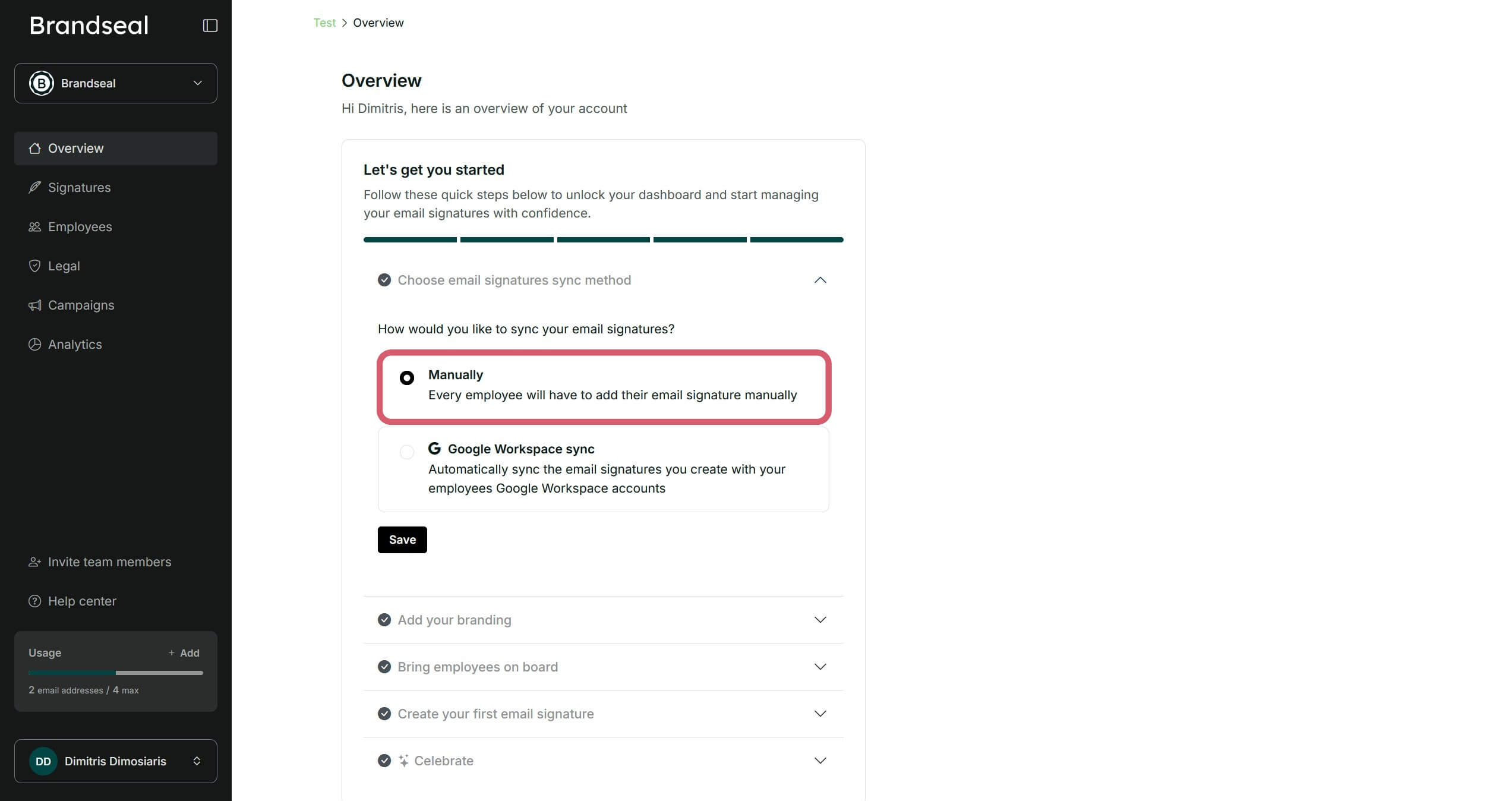
- Make sure you have selected as the email signatures sync method the "Manually" option in the overview tab.
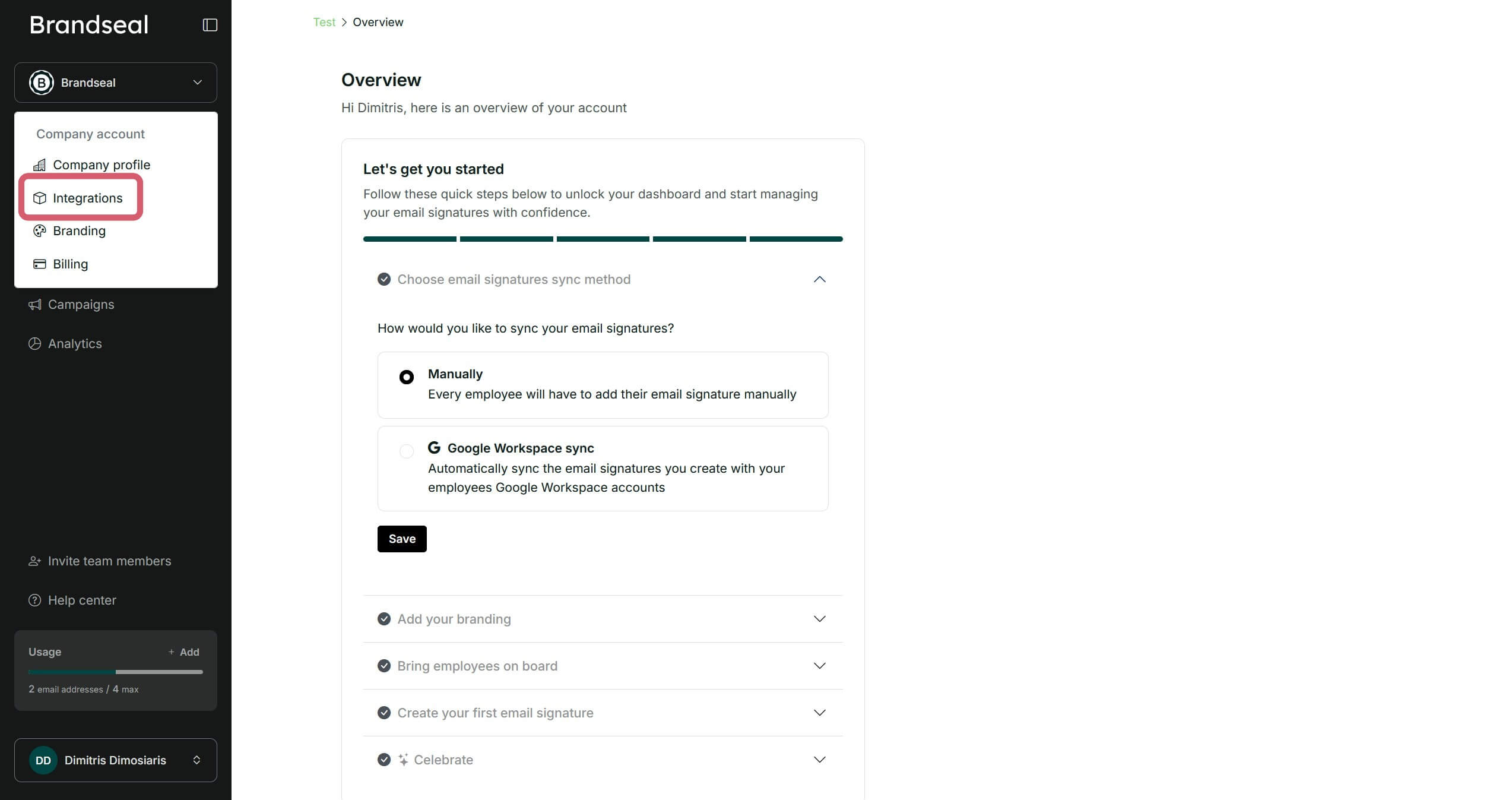
- Then, click on "Integrations" in the menu at the top left of the dashboard.
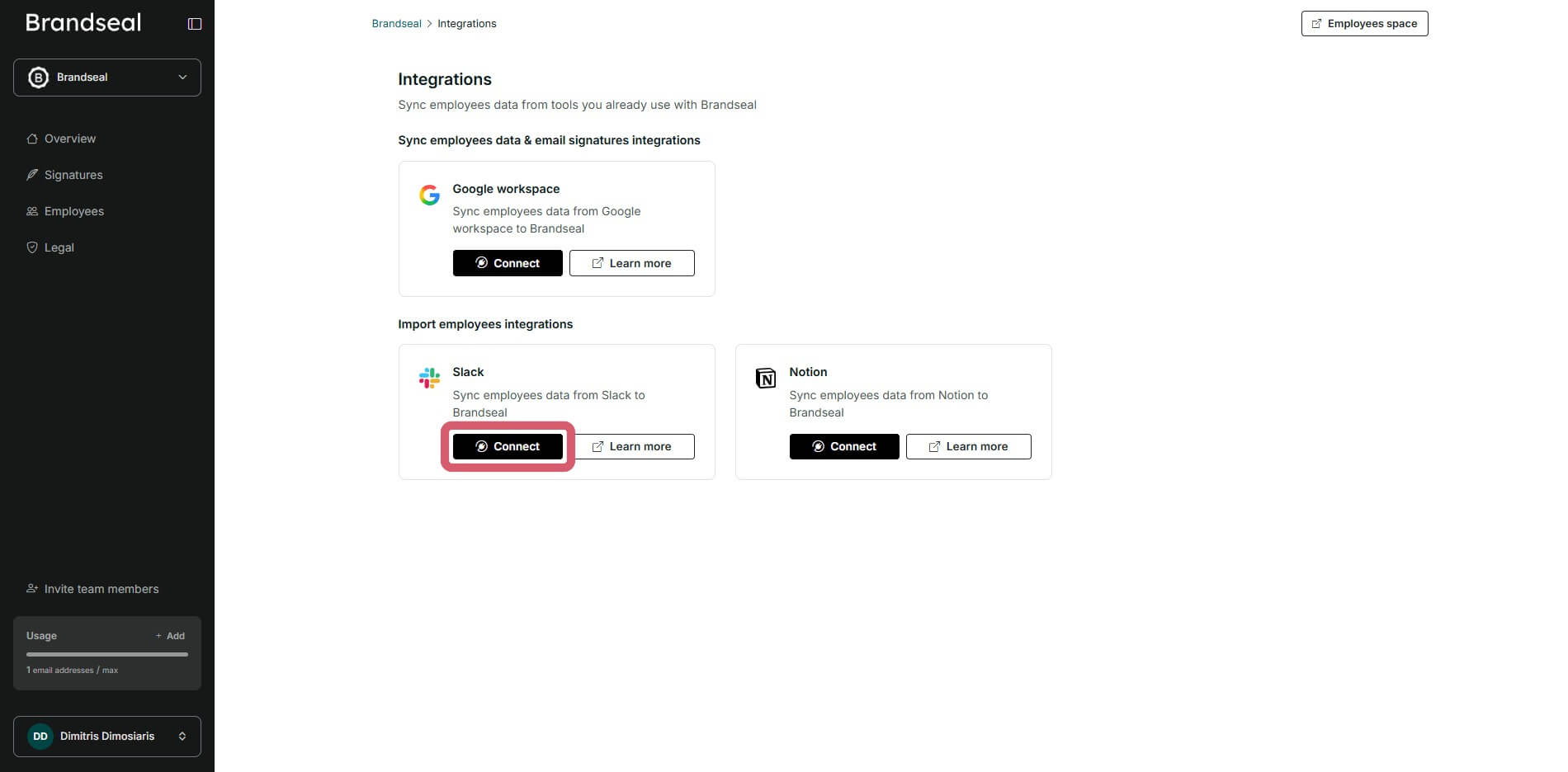
- Next, click to connect your Slack account.
- Important: You need to be a Slack "Workspace Owner" or "Workspace Admins" to connect your Slack account to Brandseal. If you are not a Workspace Owner, invite them to your Brandseal account to enable the integration.
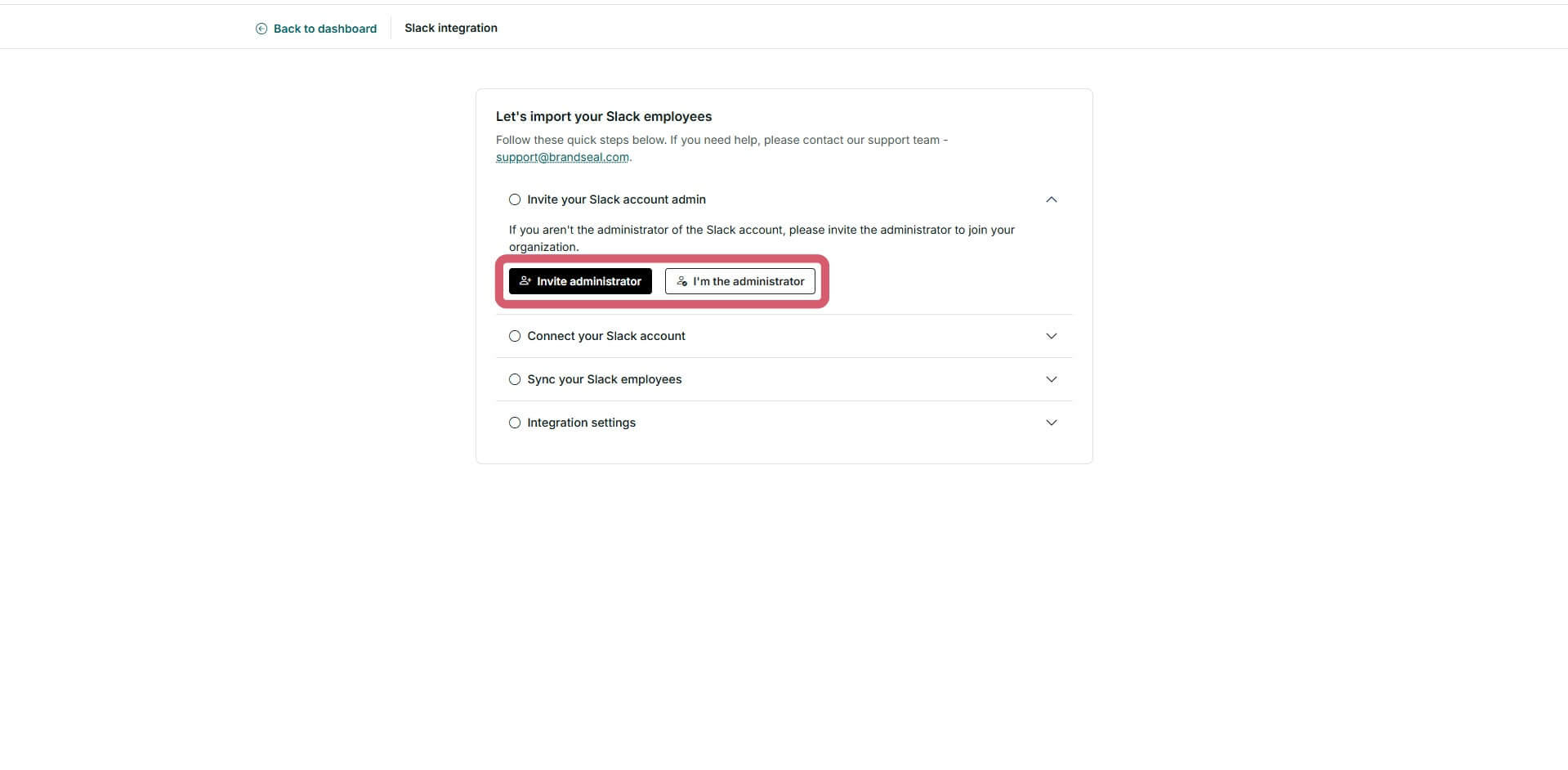
- If you are a Workspace Owner, click on the "Connect" button and you will be redirected to the Slack OAuth page. You need to select the Slack Workspace and grant all the necessary permissions to Brandseal to enable the integration. Learn why we ask for these permissions.
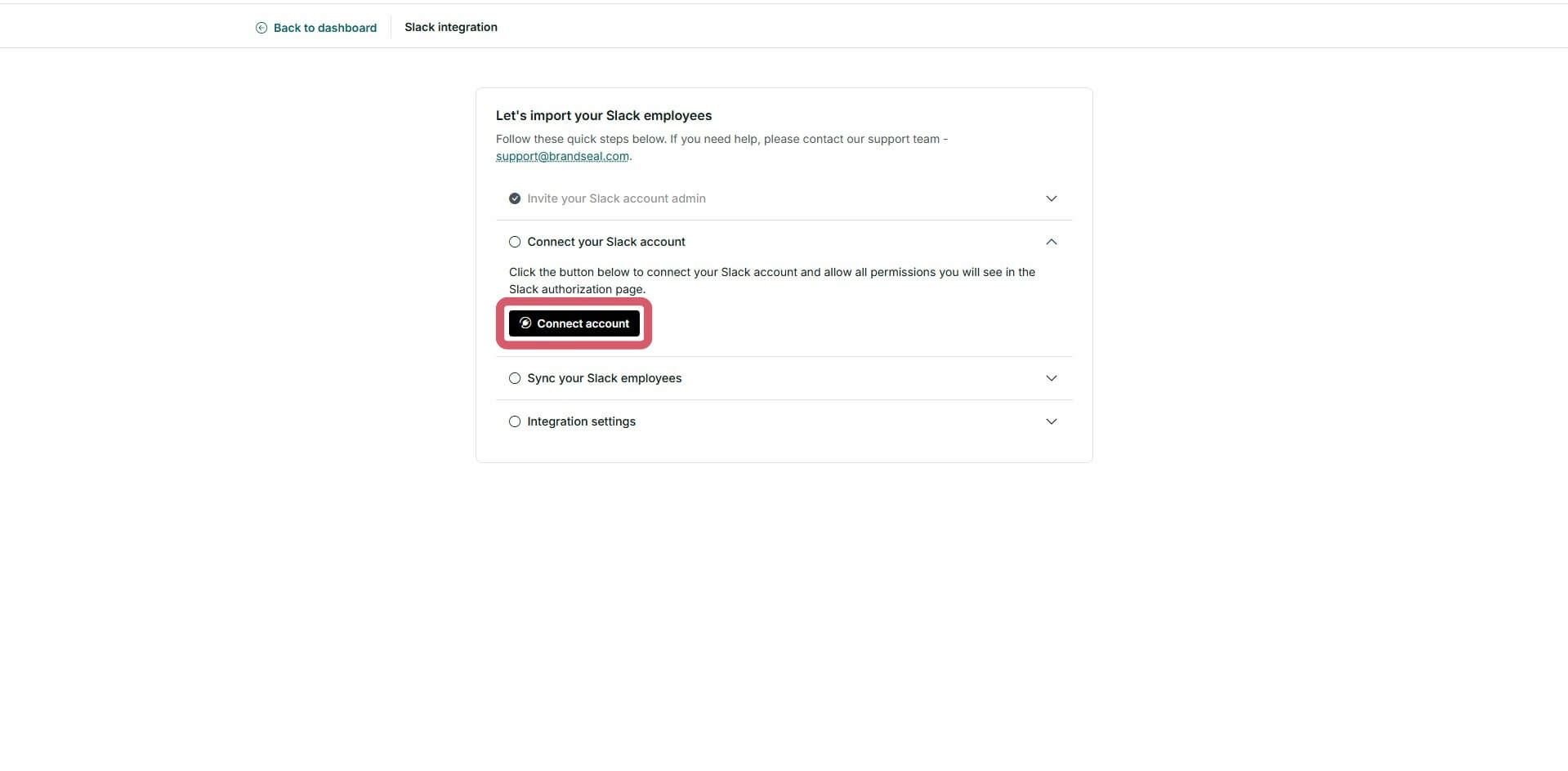
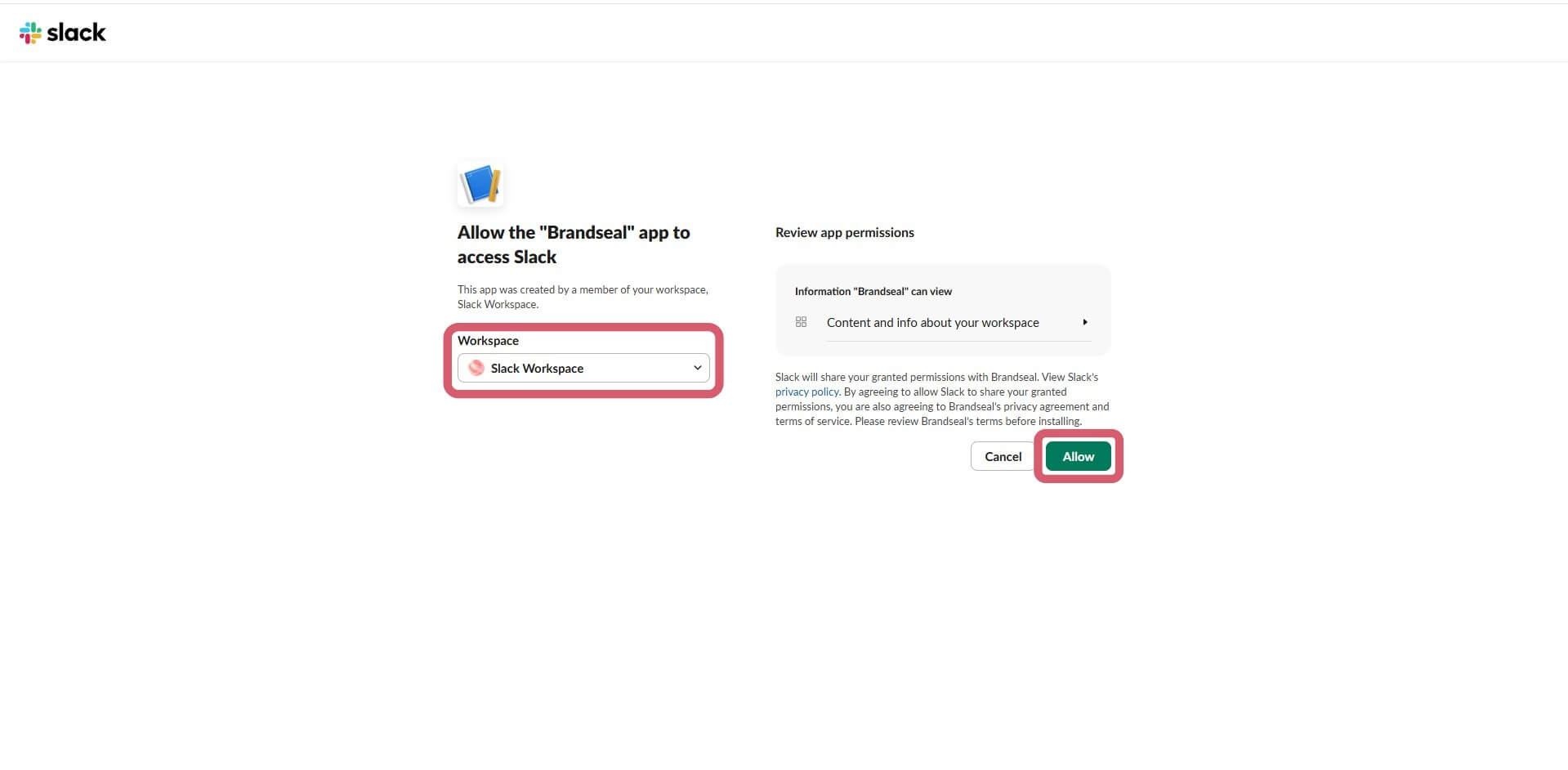
- Once connected, you can start syncing your Slack workspace members data.
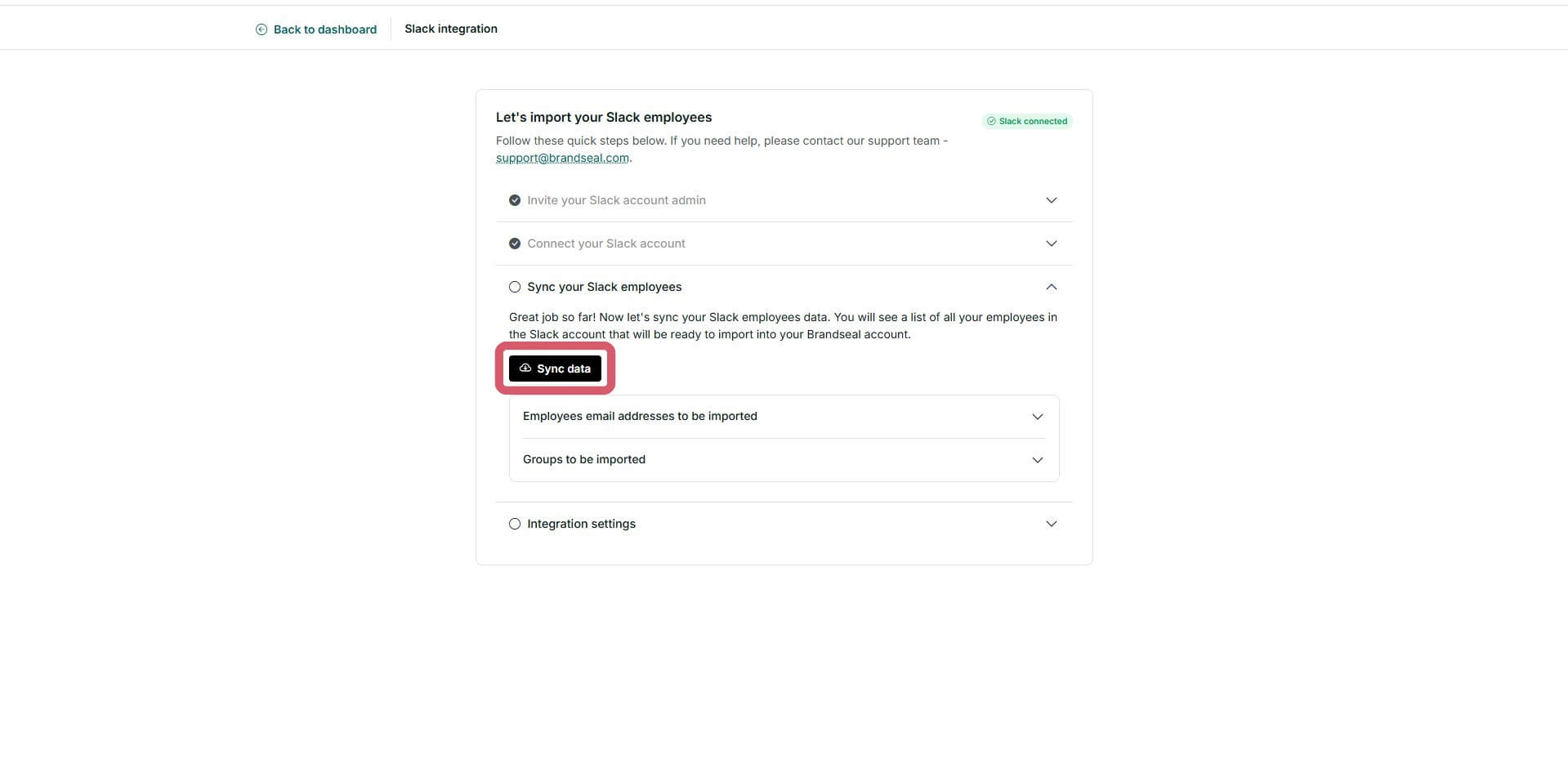
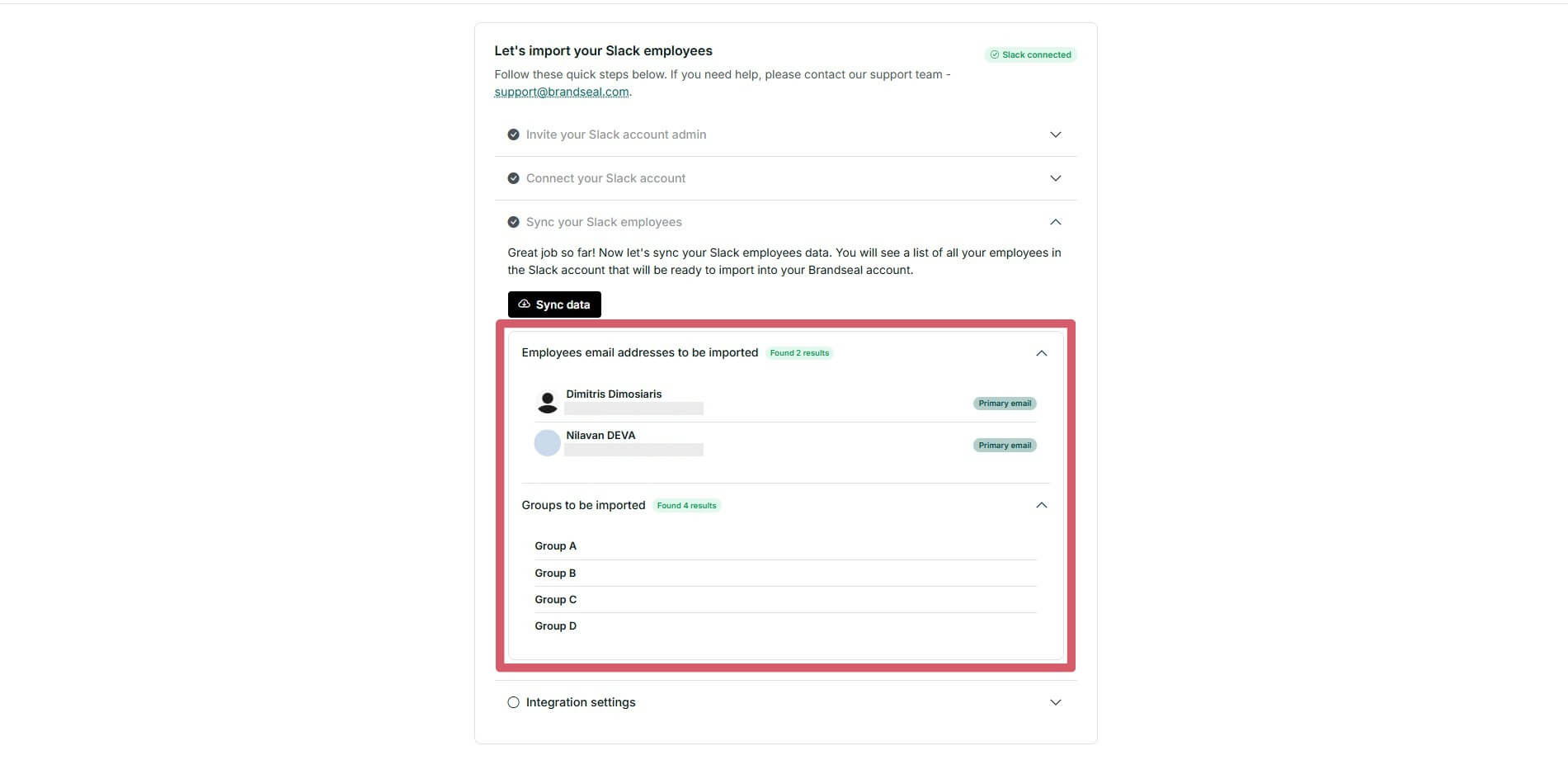
- When the sync is complete, you will see a message saying "Slack data imported successfully" and you will see a list of all the employees that will be imported into your Brandseal account.
- Check if you would like Brandseal to sync the data daily. If you enable daily sync, Brandseal performs a full sync every 24 hours.
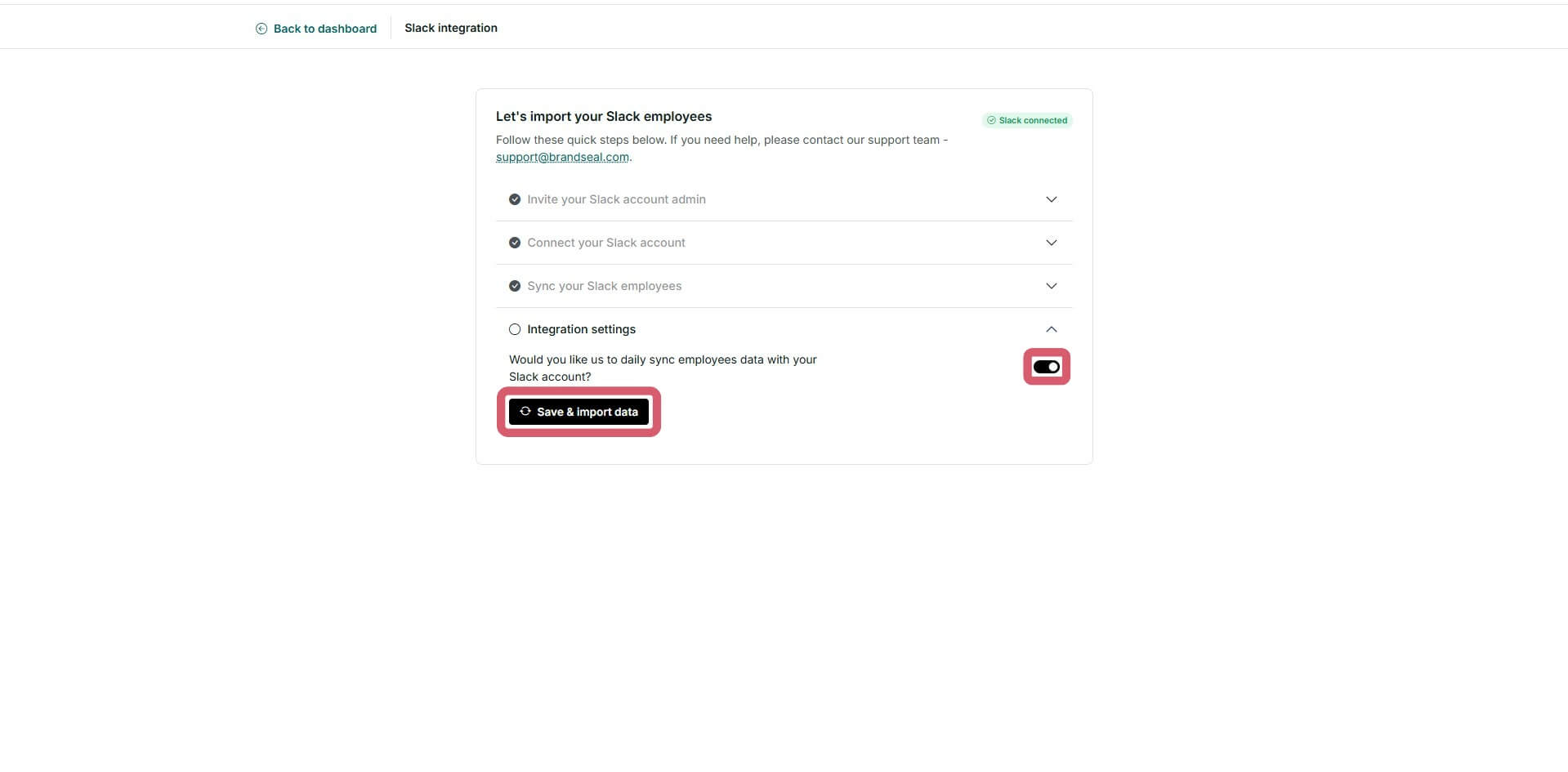
- You are all set! Now, you can go and create your branded signature templates.
Why we need these 3 permissions
Slack uses "OAuth Scopes" to ensure apps only access what they absolutely need. Here is exactly why we request each permission:
Employee data
-
View people in a workspace (users:read)
Why: To import your employee list from a workspace. We read IDs, names, phones, titles, avatars and emails.
-
View email addresses of people in a workspace (users:read.email)
Why: To read employee's emails when importing the employee list from a workspace.
User group data
-
Access information about user groups (usergroups:read)
Why: To important your user group list from a workspace. We read IDs, names, descriptions and the employee's IDs belonging to each user group.
Additional information
- Sync frequency: If you enable daily sync, Brandseal performs a full sync every 24 hours.
- Data sync: Once synced, employee data and user group data is automatically updated from Slack. Brandseal generates updated signature templates that employees can use to maintain brand consistency across your organization.
Learn more and get support
If you have questions regarding API permissions, data privacy, or need help, message our support team at support@gobrandseal.com.
Why Brandseal for your organization
Brandseal was built to solve the "boring" side of company branding. As your team grows, keeping email signatures consistent across dozens or hundreds of employees becomes a major headache.
By automating the sync with Slack, we've made sure that no matter how many new employees you hire, your brand stays protected and professional.
- Solve the growth headache: Stop chasing employees to update their banners. Brandseal handles it automatically as your team scales.
- Polished for clients: Ensure every single email leaving your building looks sharp and professional, reinforcing trust with every interaction.
- Brand protection: Lock your brand assets so that colors, logos, and fonts remain consistent, regardless of who is sending the email.
About Brandseal
Brandseal was created specifically to take the complexity out of email signature management. We believe that professional tools should be easy to use, not another complex platform for your team to spend hours learning.
Our mission is to help companies turn their most frequent touchpoint, the email signature, into a powerful, automated asset. By bridging the gap between your Slack workspace and your team's signature templates, Brandseal ensures your company's identity is always synchronized and always polished.