Link your Google Workspace account to sync employees data and email signatures.
What is Google Workspace?
Google Workspace (formerly G Suite) is a collection of cloud productivity, and collaboration tools, including Gmail, Calendar, Drive, Docs, Sheets, and more. It serves as the central hub for managing professional identities and communication within an organization.
Why Google Workspace + Brandseal?
The Google Workspace integration allows IT managers and Marketing teams to manage the brand identity of every employee from a single dashboard, eliminating the need for manual setup.
As an Admin: You can sync your entire Organizational Unit (OU) structure to Brandseal. This ensures that when a new employee is added to Google Workspace, they automatically receive the correct signature based on their department.
As an Employee: You no longer need to copy-paste or design your own signature. Brandseal pushes your branded signature directly into your Gmail settings, including your correct title, mobile number, and social links.
How to connect Google Workspace + Brandseal for Admins
To enable company-wide synchronization, a Google Workspace Admin must authorize Brandseal using Domain-Wide Delegation.
Log in to your Brandseal admin account.
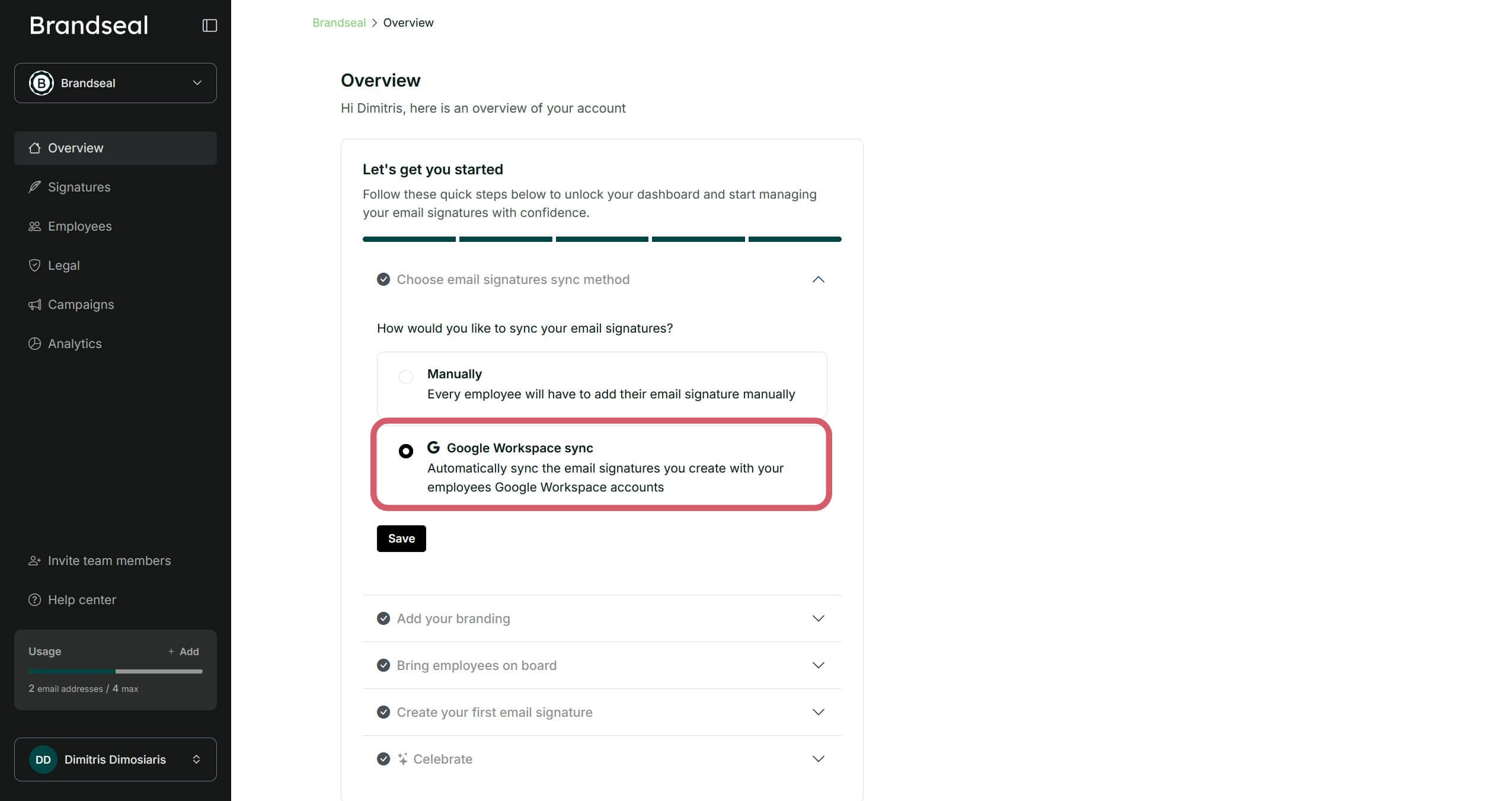
Make sure you have selected as the email signatures sync method the "Google Workspace sync" option in the overview tab.
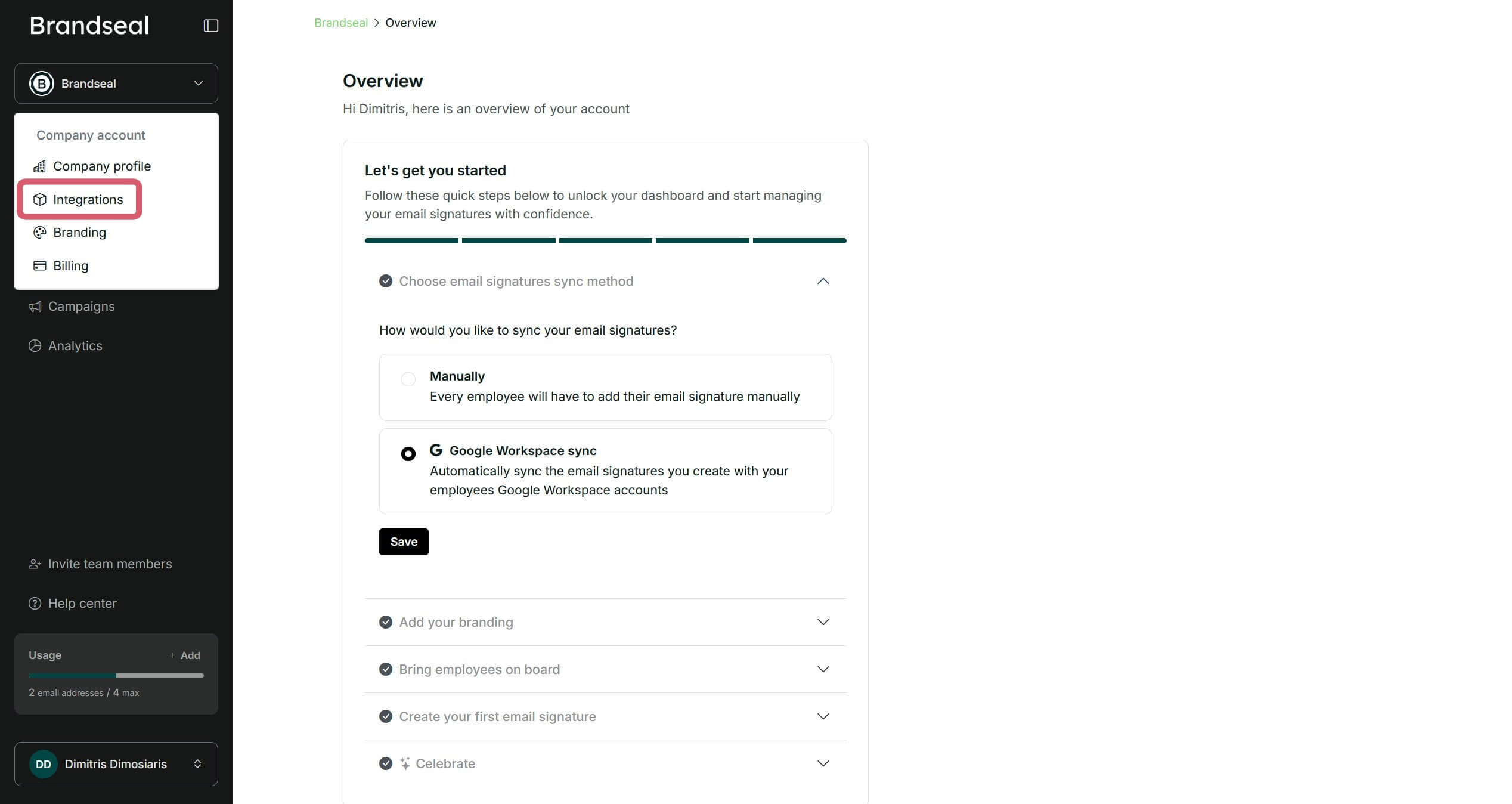
Then, click on "Integrations" in the menu at the top left of the dashboard.
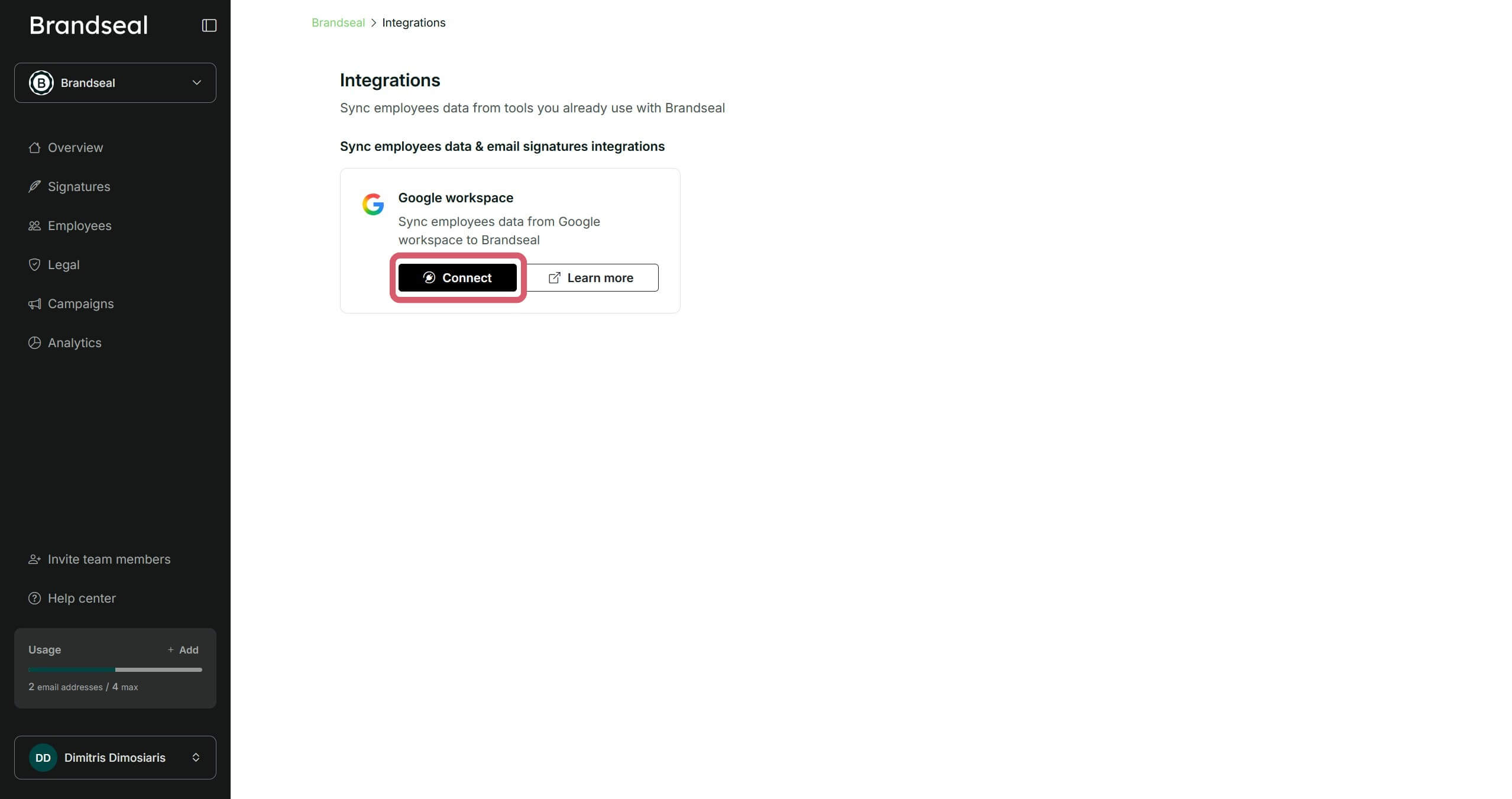
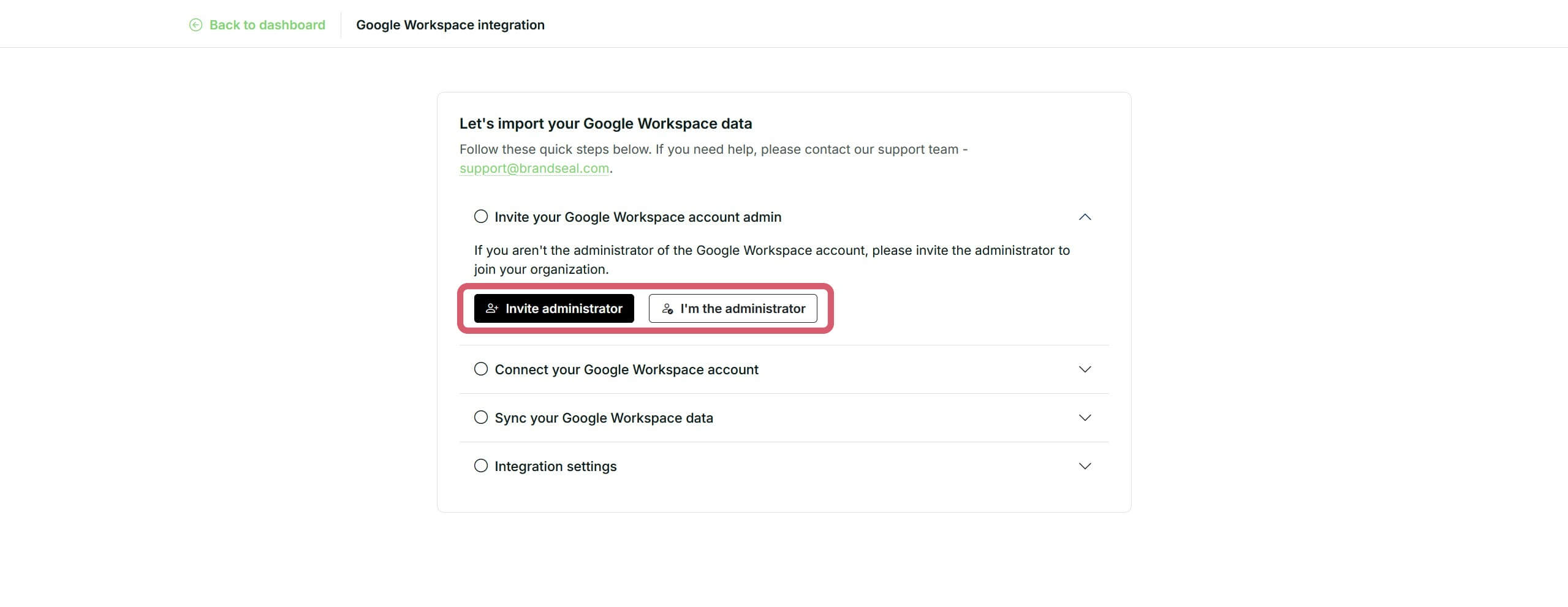
Next, click to connect your Google Workspace account.
Important: You need to be a Google Workspace Admin to connect your Google Workspace account to Brandseal. If you are not an Admin, invite them to your Brandseal account to enable the integration.
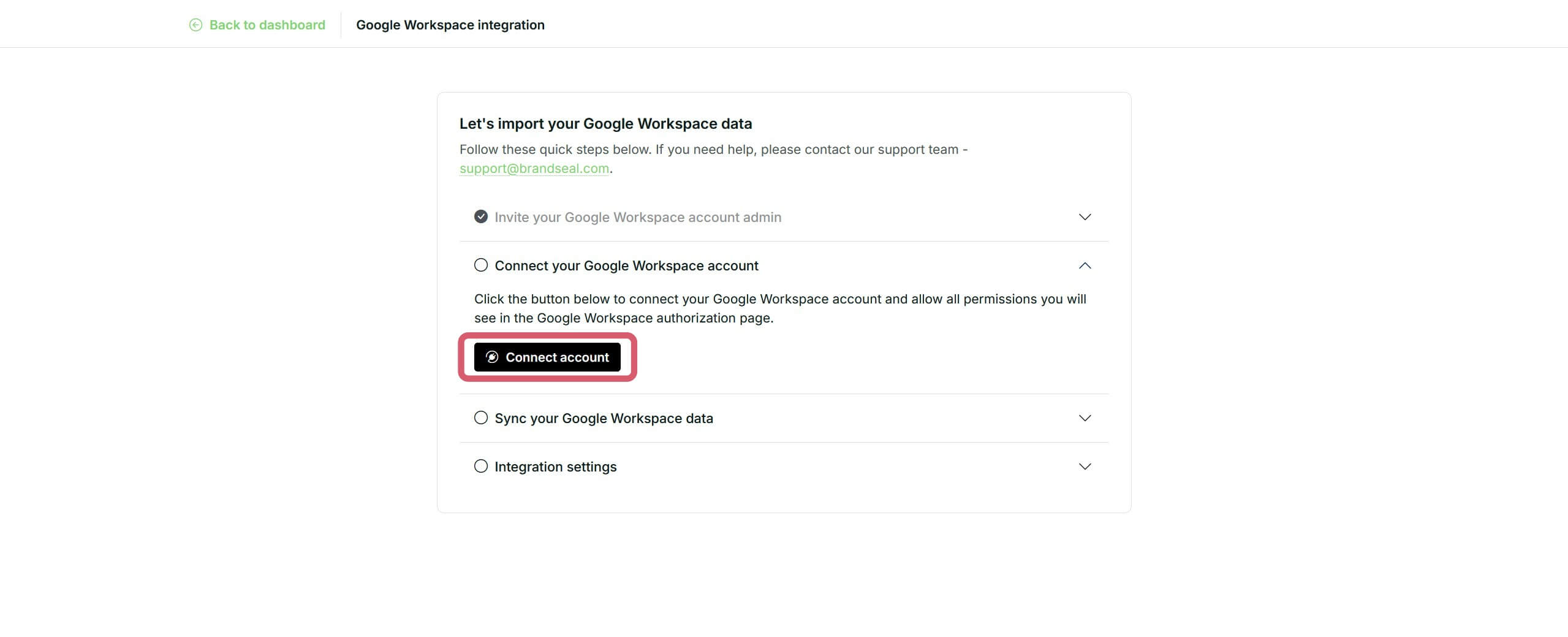
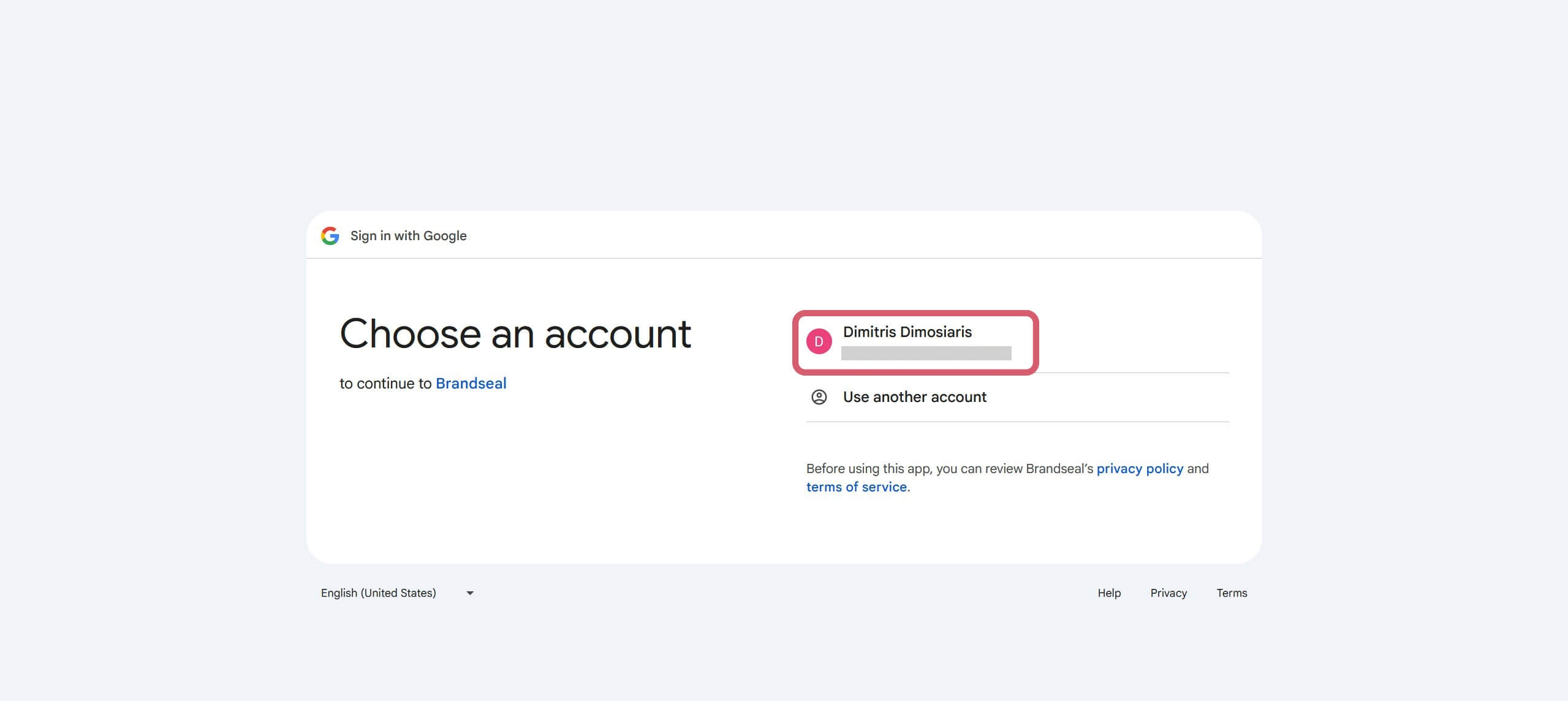
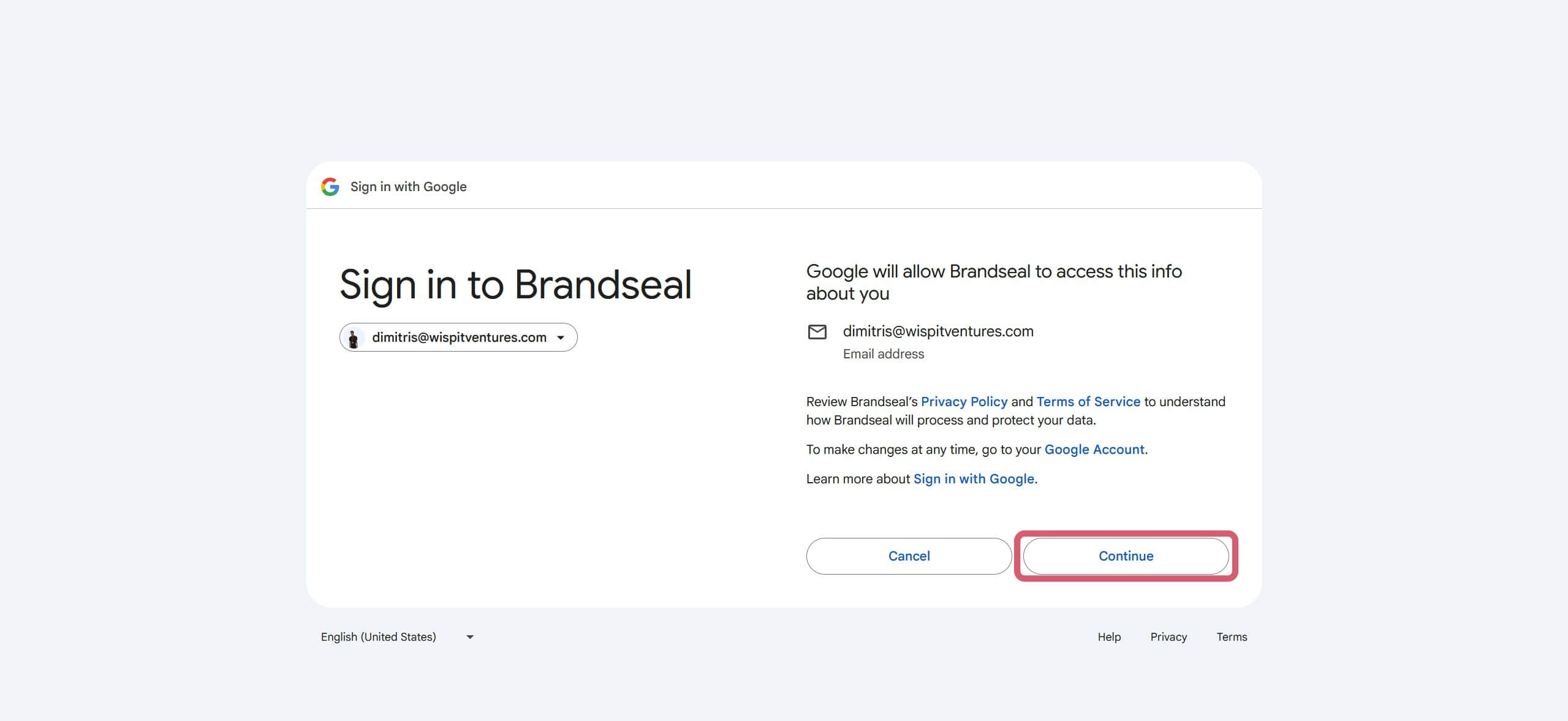
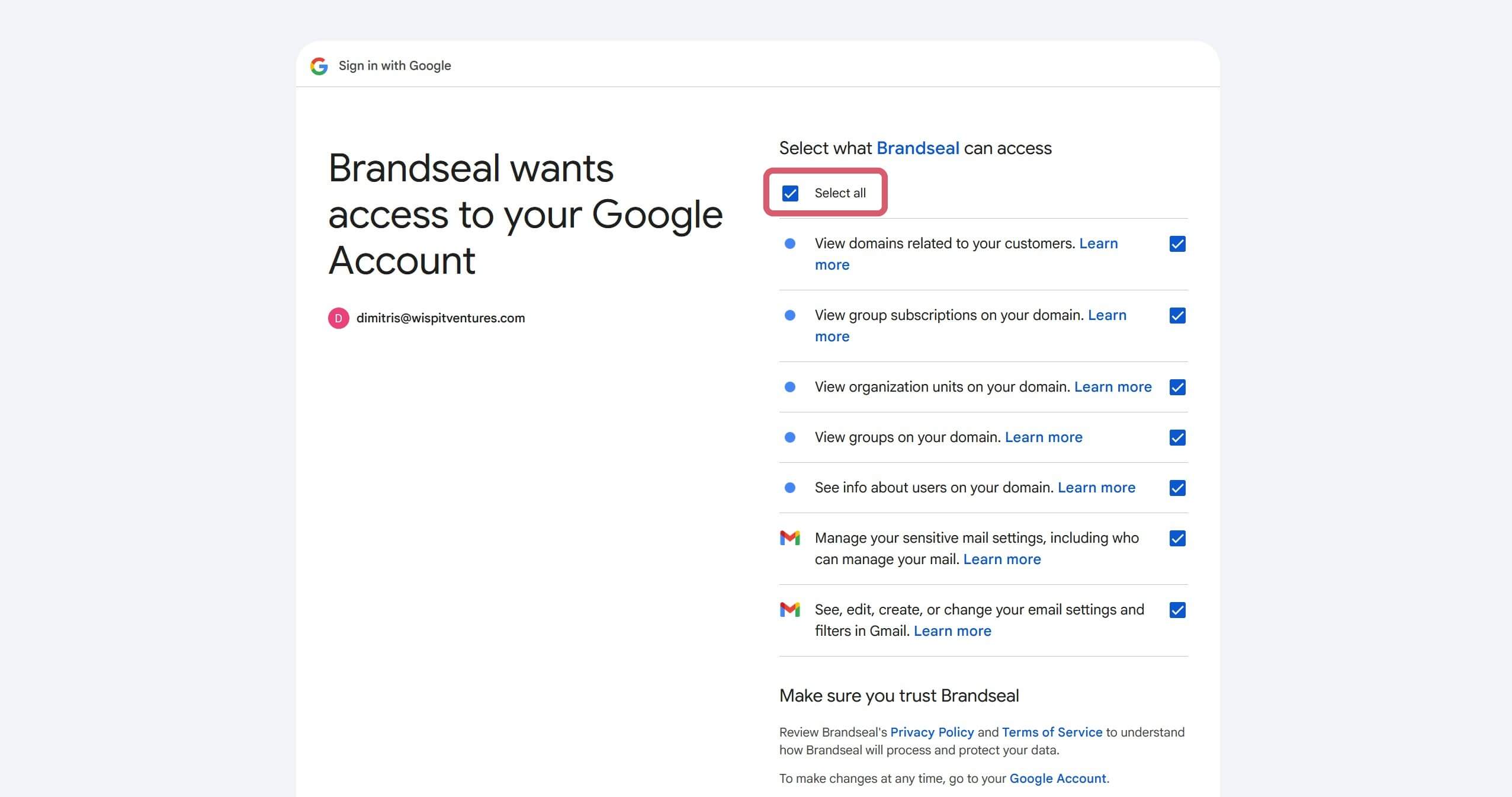
If you are an Admin, click on the "Connect" button and you will be redirected to the Google Workspace OAuth page. You need to choose your Google Workspace account and grant all the necessary permissions to Brandseal to enable the integration. Learn why we ask for these permissions.
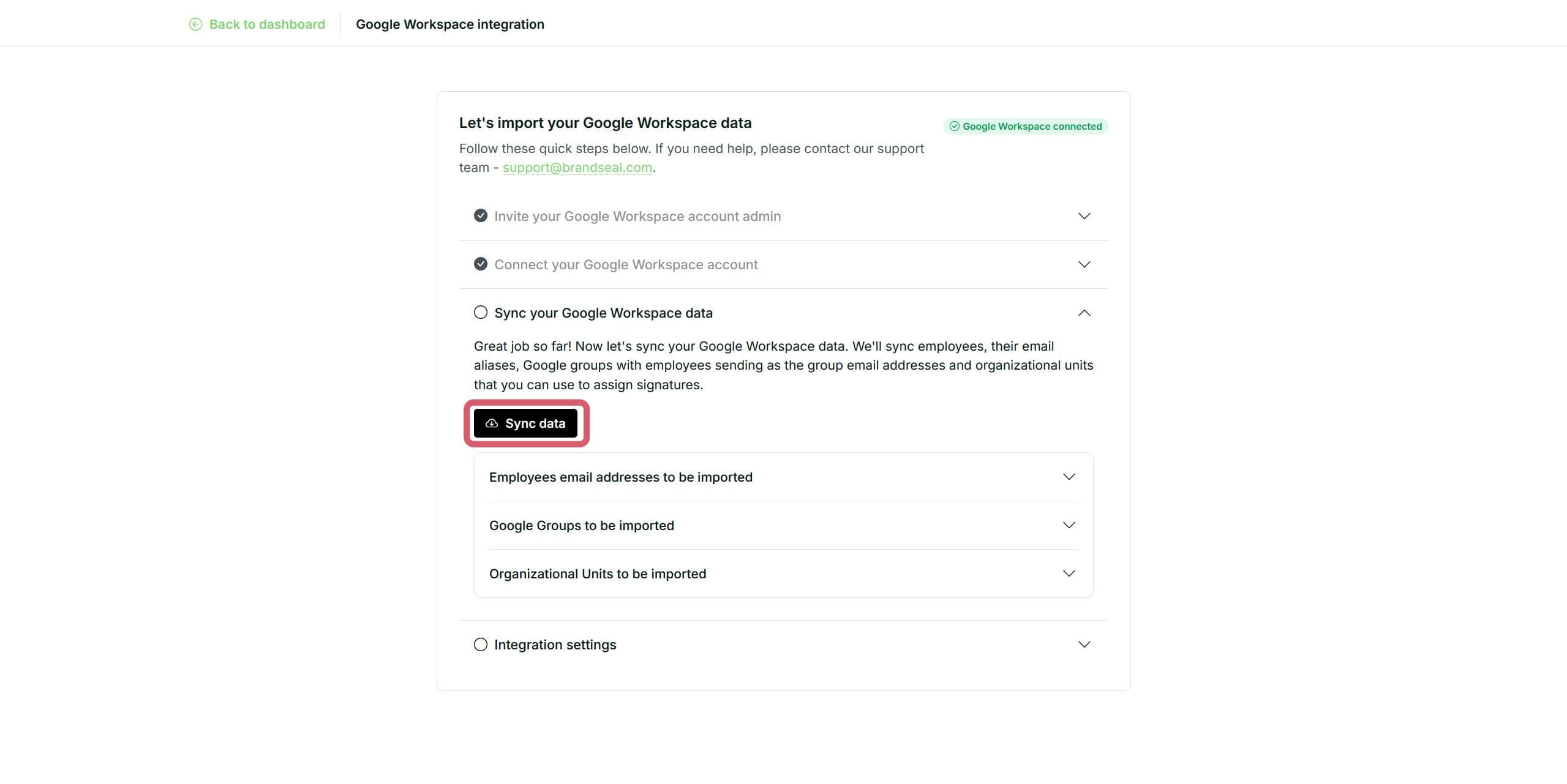
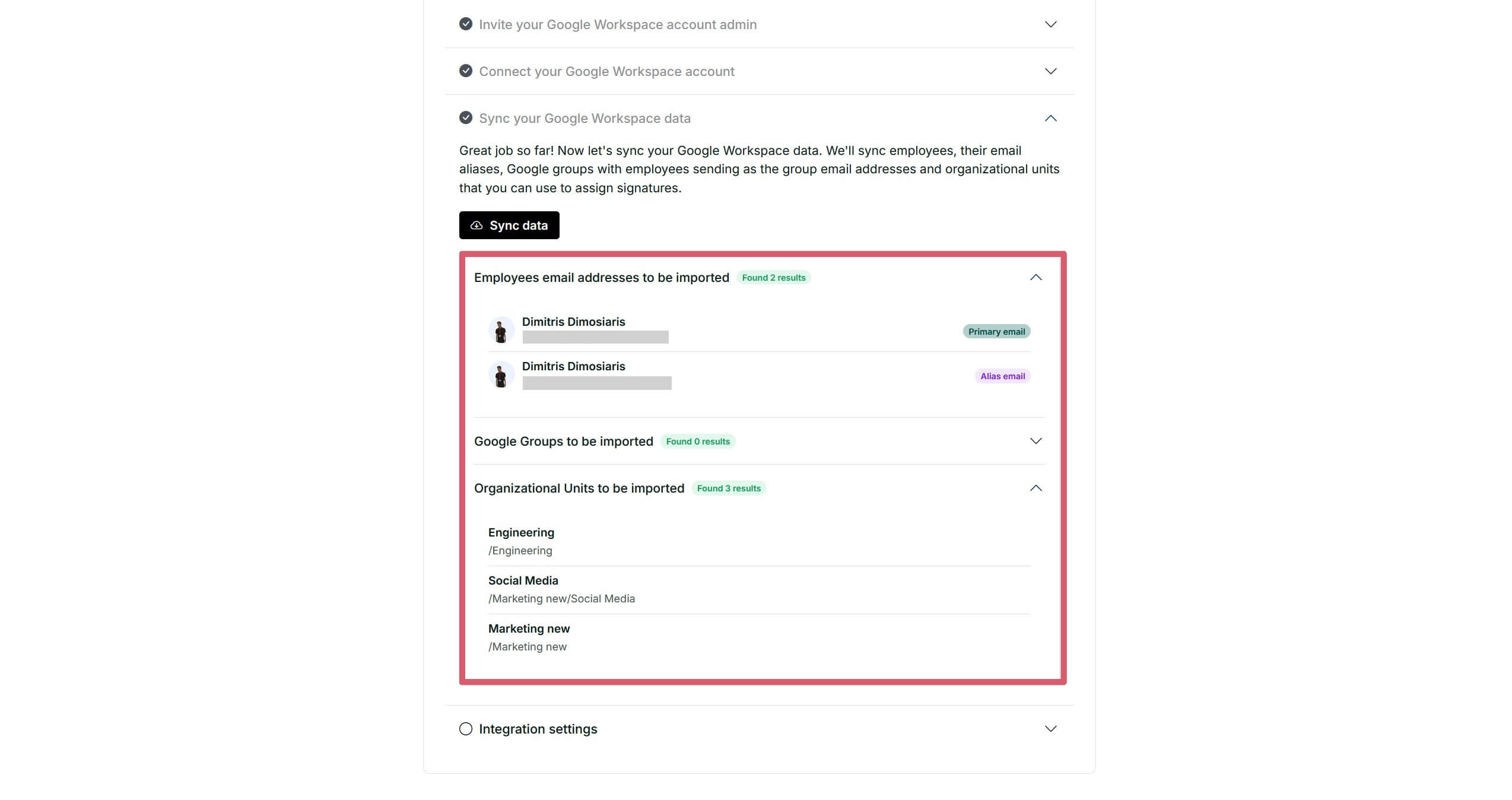
Once connected, click the "Sync Data" button and Brandseal will begin importing your Organizational Units, Google Groups and employee details.
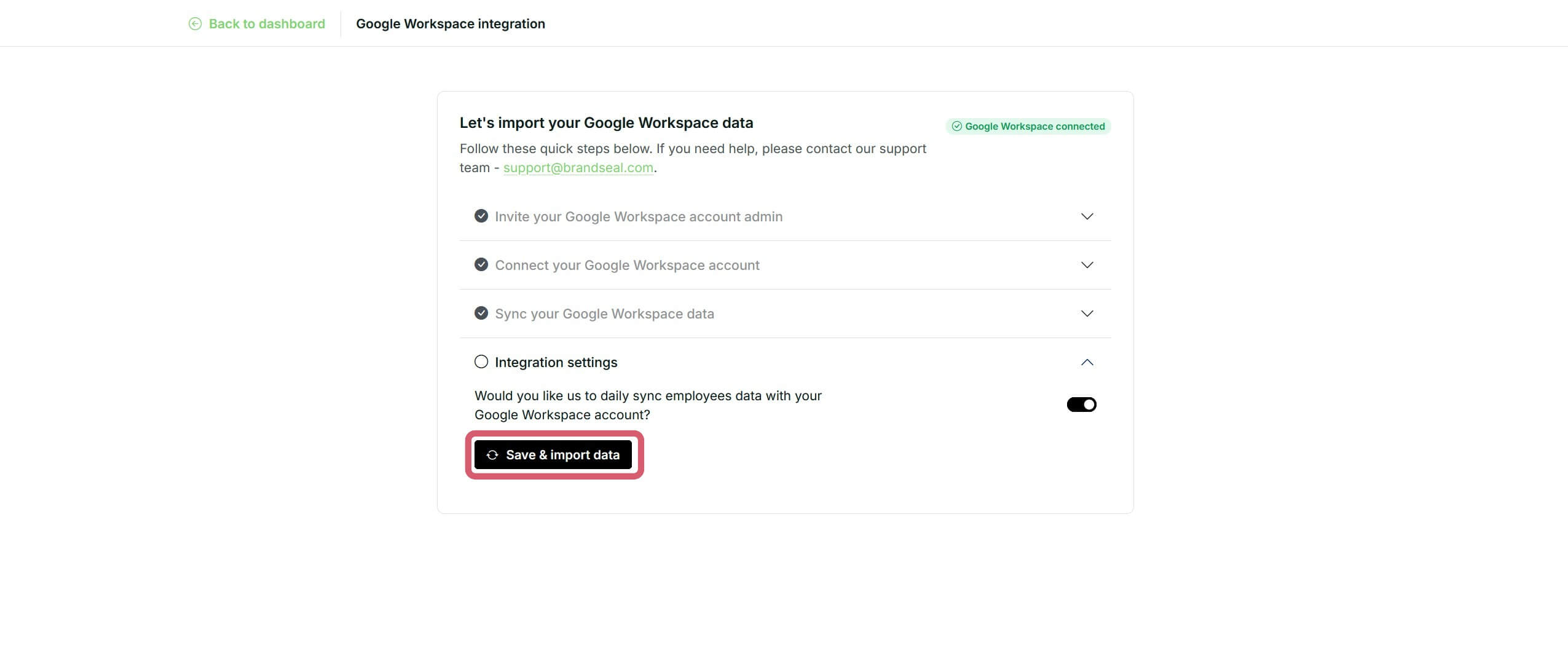
Check if you would like Brandseal to sync the data daily. If you enable daily sync, Brandseal performs a full sync every 24 hours.
You are all set! Now, you can go and create your branded signature templates.
Learn more and get support
To learn more about using the Google Workspace + Brandseal integration, watch the Google Workspace integration video below:
Why we need these 9 permissions
Google Workspace uses "OAuth Scopes" to ensure apps only access what they absolutely need. Here is exactly why we request each permission:
Directory & employee data
View users on your domain (...admin.directory.user.readonly) Why: To import your employee list so we can generate their signatures automatically. We only read names, job titles, and contact details.
View organizational units (...admin.directory.orgunit.readonly) Why: To allow you to assign different signature designs to different departments (e.g., a "Sales" signature vs. an "Engineering" signature).
View groups on your domain (...admin.directory.group.readonly) Why: To allow you to assign different signature designs to different Google Groups (e.g., a "External support google group" signature vs. an "Internal support google group" signature).
View customer-related information (...admin.directory.customer.readonly) Why: This provides us with your unique Google Customer ID, which is required to fetch the correct directory data for your specific organization.
View user photos (...admin.directory.user.photo.readonly) Why: For every employee, we pull the official photo from their Google Profile for you (as admin) to be able to use it in their email signature.
Gmail & signature deployment
Manage basic Gmail settings (...gmail.settings.basic) Why: This is the core permission that allows Brandseal to "write" the signature code into your employees Gmail settings without them having to do it manually.
Manage Gmail sharing settings (...gmail.settings.sharing) Why: This allows us to ensure the signature is applied correctly to "Send Mail As" aliases (like support@company.com) that your employees might be authorized to use.
Authentication & security
View your email address (...userinfo.email) Why: To identify the Admin who is setting up the integration and ensure they have the authority to manage the workspace.
View your basic profile info (...userinfo.profile) Why: To personalize your Brandseal dashboard experience with your name and account details.
Our privacy promise
We understand that these permissions are significant. Because of this, Brandseal operates under a "Principle of least privilege":
We never read your emails: Our access is restricted to Settings, not Content.
We never send emails: Brandseal cannot send messages on behalf of your users.
Read-only directory: We only read employee details; we never modify your Google Directory records.
Additional information
Sync frequency: If you enable daily sync, Brandseal performs a full sync every 24 hours.
Signature lock: Once synced, any manual changes an employee makes to their signature in Gmail settings will be overwritten by the Brandseal template to maintain brand consistency. We also sync all employees signatures every 24 hours to ensure the latest & right brand identity is always applied.
If you have questions regarding API permissions, data privacy, or need help, message our support team at support@gobrandseal.com.
Why Brandseal for your organization
Brandseal was built to solve the "boring" side of company branding. As your team grows, keeping email signatures consistent across dozens or hundreds of employees becomes a major headache.
By automating the sync with Google Workspace, we’ve made sure that no matter how many new employees you hire, your brand stays protected and professional.
Solve the growth headache: Stop chasing employees to update their banners. Brandseal handles it automatically as your team scales.
Polished for clients: Ensure every single email leaving your building looks sharp and professional, reinforcing trust with every interaction.
Brand protection: Lock your brand assets so that colors, logos, and fonts remain consistent, regardless of who is sending the email.
About Brandseal
Brandseal was created specifically to take the complexity out of email signature management. We believe that professional tools should be easy to use, not another complex platform for your team to spend hours learning.
Our mission is to help companies turn their most frequent touchpoint, the email signature, into a powerful, automated asset. By bridging the gap between your Google Directory and your team's Gmail settings, Brandseal ensures your company’s identity is always synchronized and always polished.
Reclaim your engineering hours today
Stop manually updating employee signatures and start automating them.Join the teams that have offloaded their signature management to Brandseal.